UI Layout
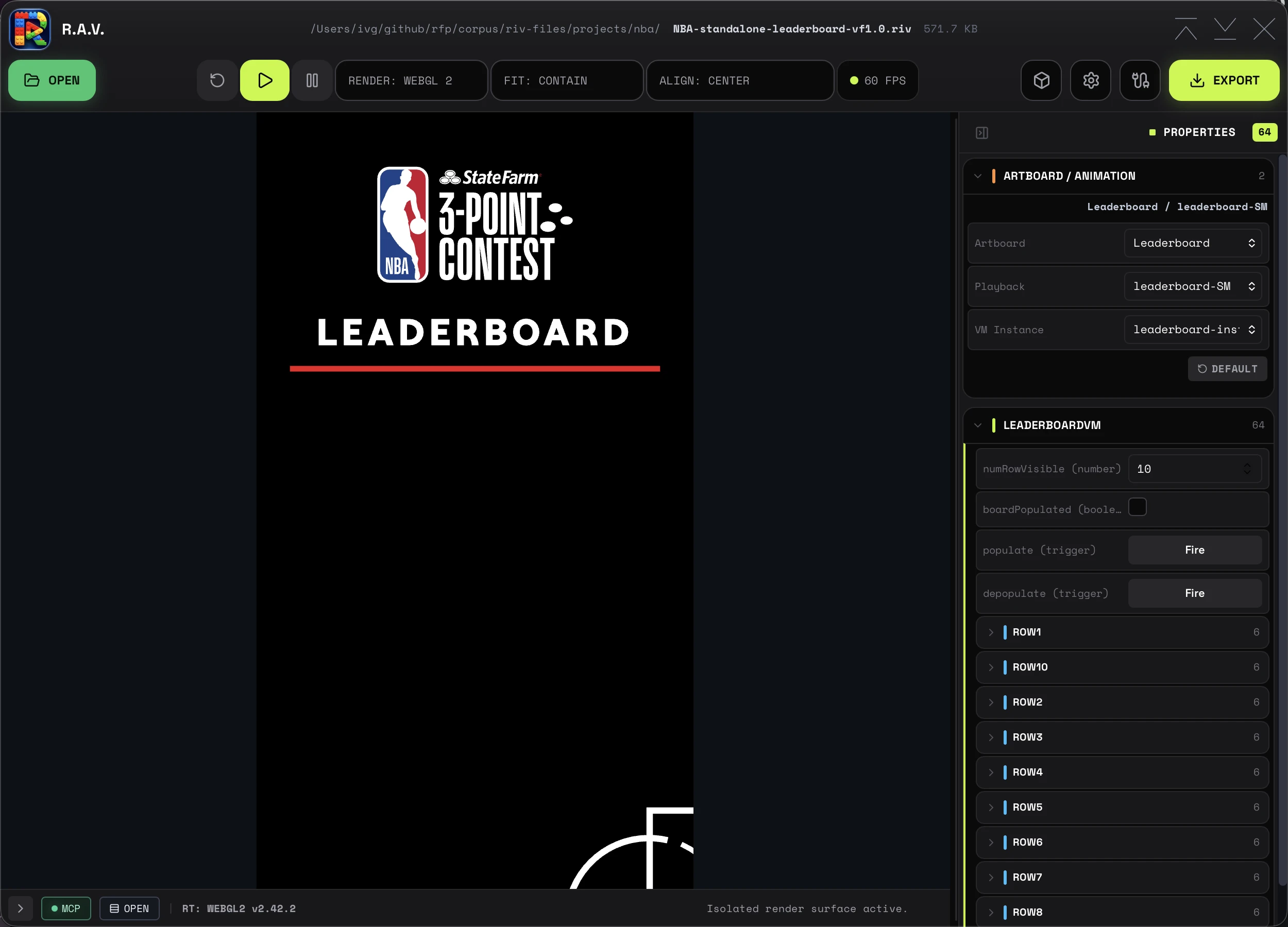
Window Title
The title row centers the loaded file metadata against the full window, even when the app identity on the left and window controls on the right have different widths. The metadata keeps its intrinsic width; long directory paths truncate without pulling the visible title away from center.
Top Toolbar
The toolbar is split into three clusters:
- Left — app identity and the OPEN button for file loading
- Center — reset, play, pause, renderer selector, fit, alignment, and FPS chip
- Right — GPU Canvas toggle (box icon), EXPORT, Settings gear, and MCP Setup (cable icon)
GPU Canvas is available only with the WebGL2 renderer. Enabling it turns on Rive GPU Canvas features such as 3D shaders for desktop playback, standalone exports, and generated snippets; the preference persists across launches. The FPS chip reports the Rive runtime's own FPS counter rather than a per-advance frame count.
Script Editor
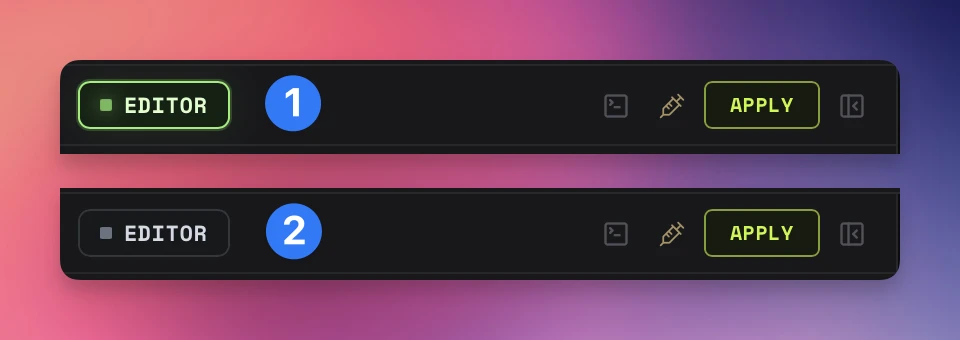
Internal mode — neutral outline, RAV's built-in wiring is active
Editor mode — green pulsing dot, applied editor config is driving the runtime
Canvas
The primary animation viewport. Renders the loaded Rive animation with the selected renderer (Canvas or WebGL2). Fit and alignment are controlled from the main toolbar. In fixed-size mode, overflow-safe auto margins keep the canvas centered while it fits. When it becomes oversized, the margins collapse safely, scrolling starts from the authored top-left origin, and the central viewport exposes a styled 10px track, thumb, and corner for both axes.
Timeline Scrubber
Linear animations add a dedicated scrubber row immediately above the runtime status bar. Switch the readout between frames and seconds, use the ruler (labelled in natural steps, one tick per frame), or drag the large current-time indicator to seek. Grabbing the playhead pauses playback; every drag position lands on that exact frame without letting wall time advance nested content. The indicator follows the authored playback speed and direction (the readout shows a ×speed suffix for timelines not authored at 1×, and ping-pong loops travel back frame by frame), advances on every rendered frame during playback, and remains fully visible at both ends of the track. State-machine playback hides the row entirely.
Properties Panel
Contains the Artboard/Animation switcher and ViewModel controls. State machines remain available as playback targets. Resizable by dragging the divider, collapsible entirely.
Console
Collapsible panel with two modes: Event Console and JavaScript Console. Both share newest-first ordering, timestamps, follow mode, and outlined action buttons (FOLLOW, COPY, CLEAR). A compact header toggle switches between Events and JS.
Runtime Strip
When the console is closed, only the runtime strip remains visible. It shows the MCP indicator, console toggle, runtime version, loaded file, update status, and playback state with structured iconography.
About Window
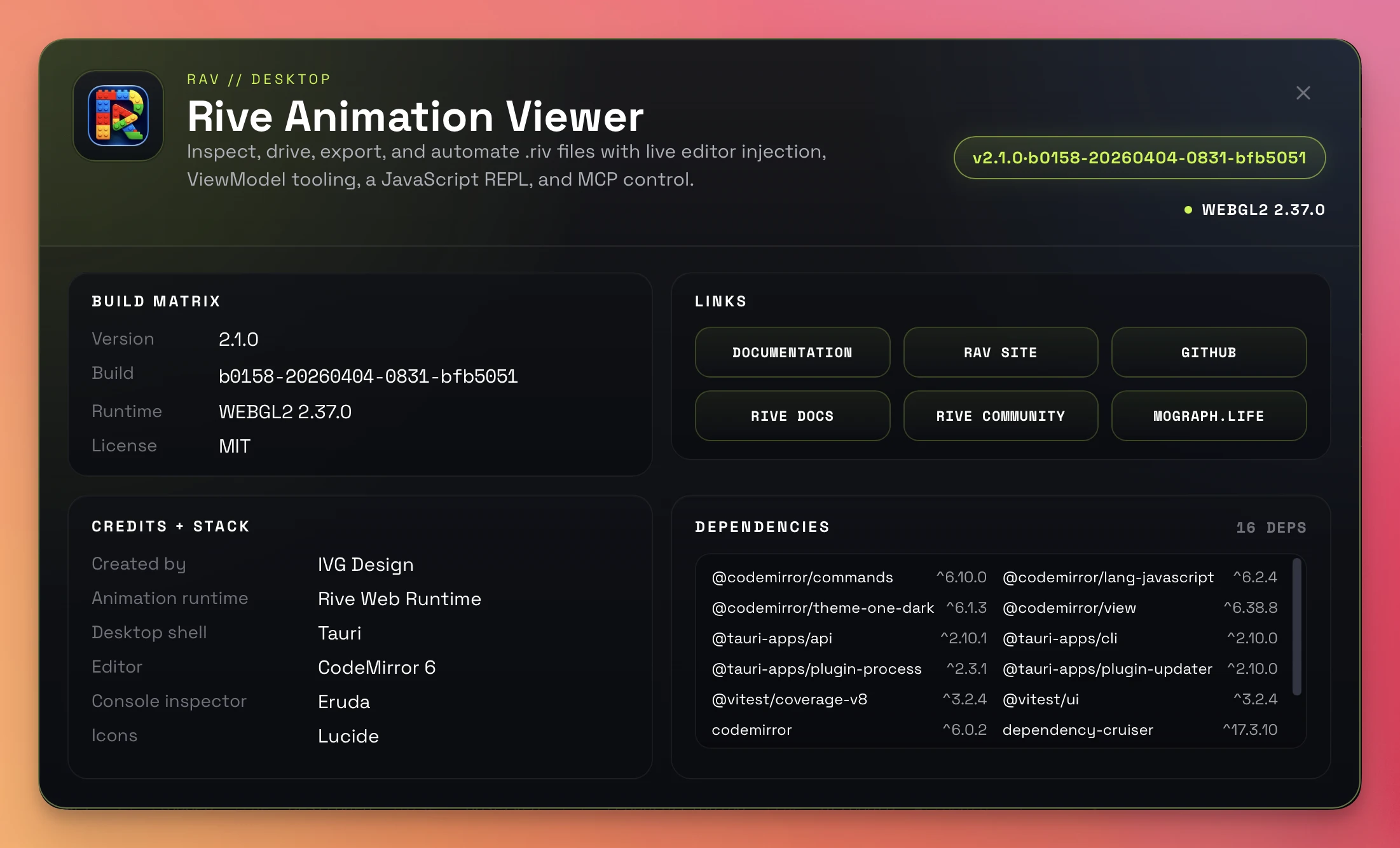
Desktop builds include a custom About window accessible from the Settings popover or the native Help menu. It surfaces build metadata (including this installation's machine id with a copy button), runtime version, credits, product links including the Privacy Policy, and a scrollable dependency inventory. The inventory includes the active Rive Web runtime plus the FFmpeg, ffprobe, and gifski encoder versions detected by the desktop media capability service.