
Media Export & Recording
Desktop RAV exports the animation canvas as video, animated images, or still images. The media workflow captures Rive output only: application controls and audio are not included. Browser RAV does not provide native media export.
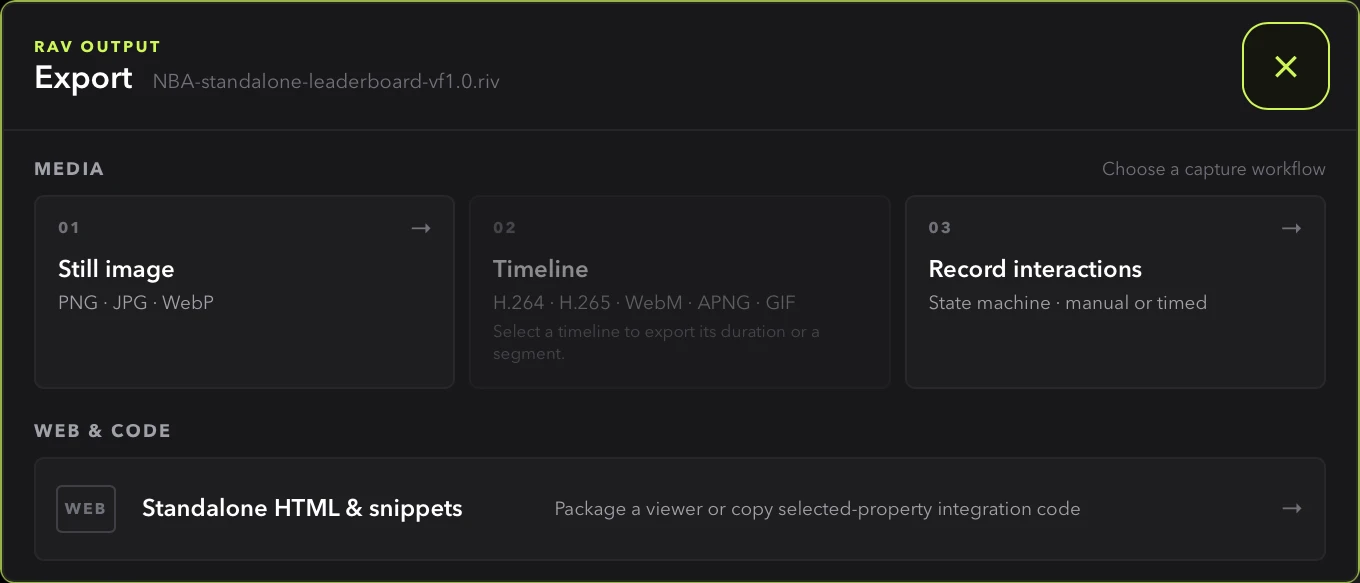
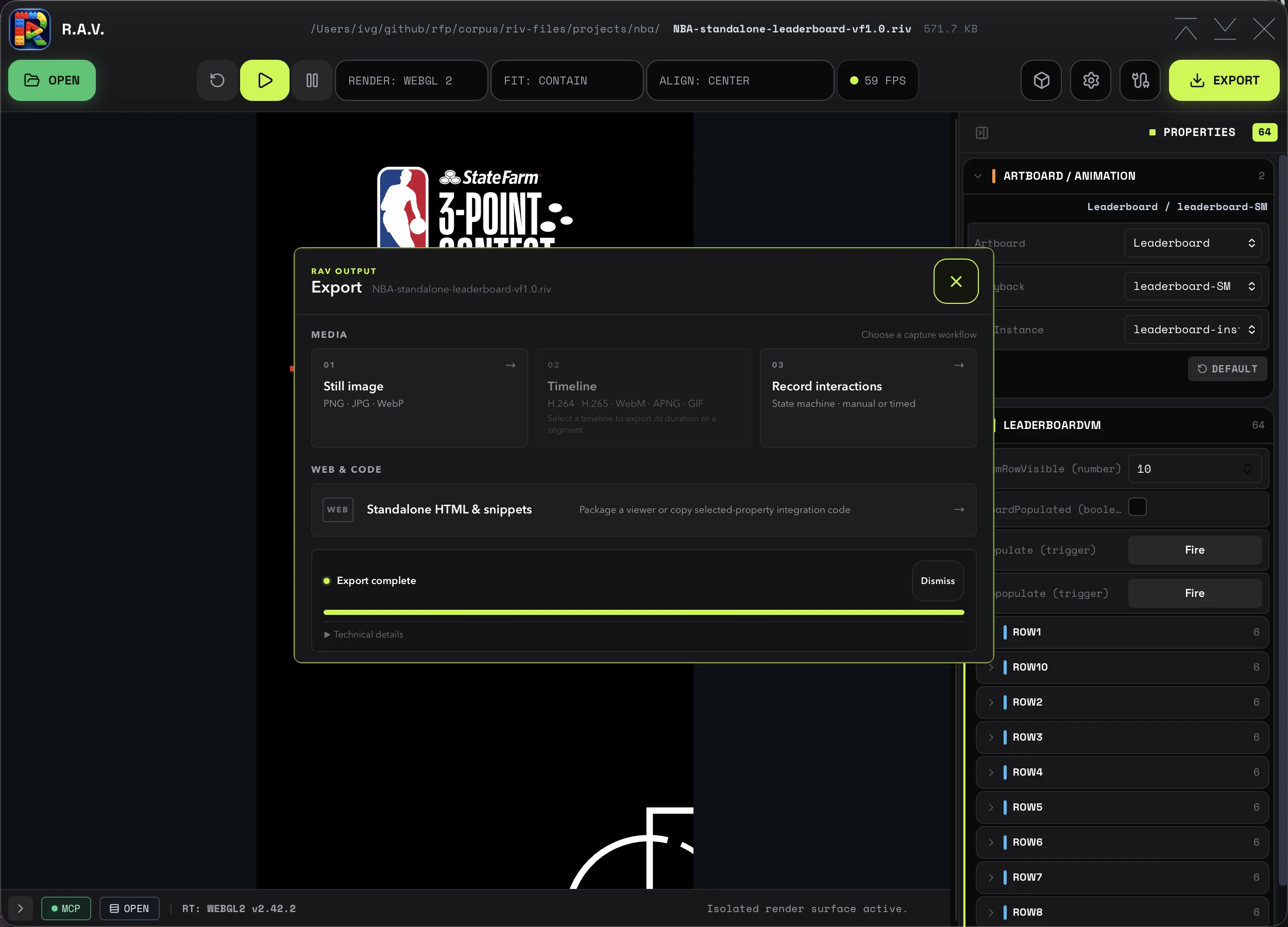
Open EXPORT and choose one of three media workflows. Standalone HTML and copy-paste snippets remain a separate fourth choice because they package code rather than rendered frames.
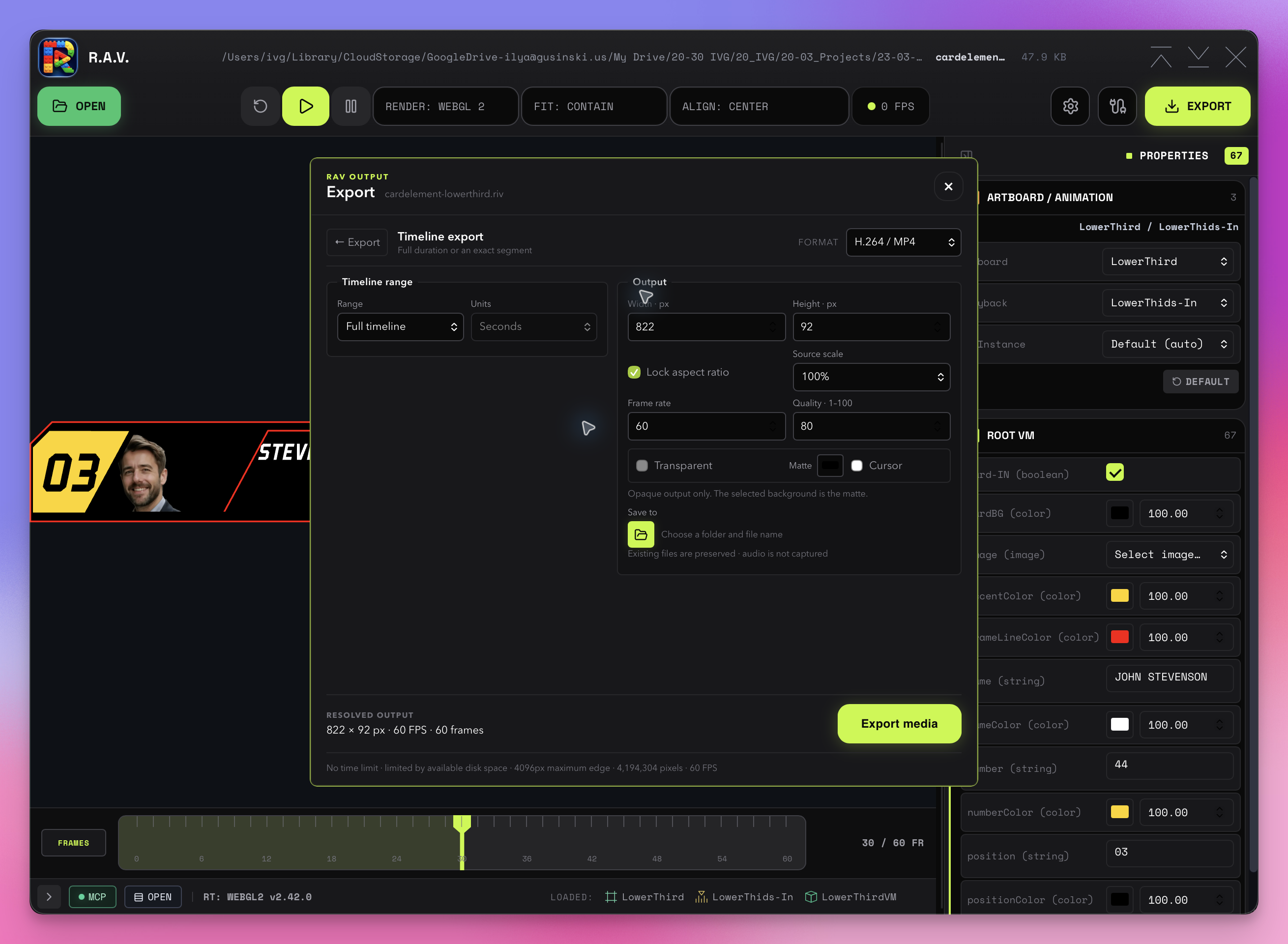
Timeline export
Select a linear animation, then export its complete authored duration or an exact segment. Segment controls accept seconds or zero-based source timeline frames. The start is included and the end is excluded, so frames 30–60 contain frames 30 through 59. Output frame rate is independent of the timeline's authored frame rate.
Timeline export samples every requested animation frame deterministically. It can encode slower than real time on demanding settings, but it does not skip simulation frames to keep up with wall time.

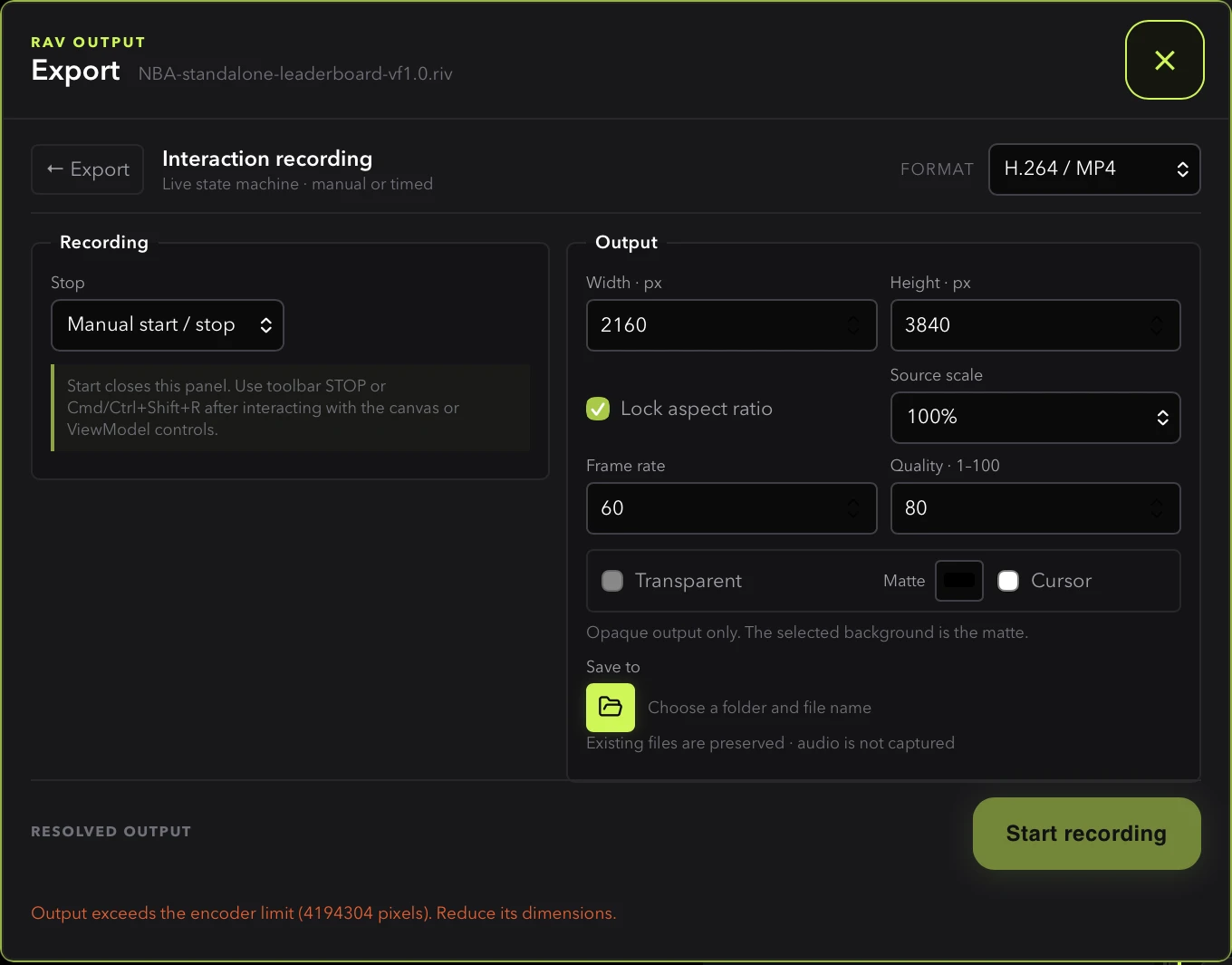
Interaction recording
Select a state machine to record live pointer interaction and ViewModel edits. Recording begins from the current state without an implicit reset. Stop manually with the toolbar STOP control or Cmd/Ctrl+Shift+R, or choose a duration before starting. The shortcut is ignored while typing in an input or editor.
- Cursor overlays RAV's tracked canvas pointer onto the output only when the cursor option is enabled; leaving it off omits the cursor entirely.
- ViewModel controls remain live while the export panel is closed.
- No product time ceiling applies to manual recording; available disk space is the practical duration limit.
- Live frame count — the status bar reports the natively accepted frame count and updates live for every format, including alpha and image-sequence captures.
Recording clock: live vs. offline
Live tracks wall time: if the device falls behind, RAV renders the missing frames individually to catch up, and status reports how far behind as lag. Offline never consults wall time — every simulation frame renders exactly once, as fast as capture allows, and the canvas draws at exactly the output size so the file does not depend on the preview window. Offline recording requires an explicit duration. MCP's rav_record_start accepts clock: "live" | "offline"; the default is offline when a duration and scheduled interactions are both supplied, otherwise live.
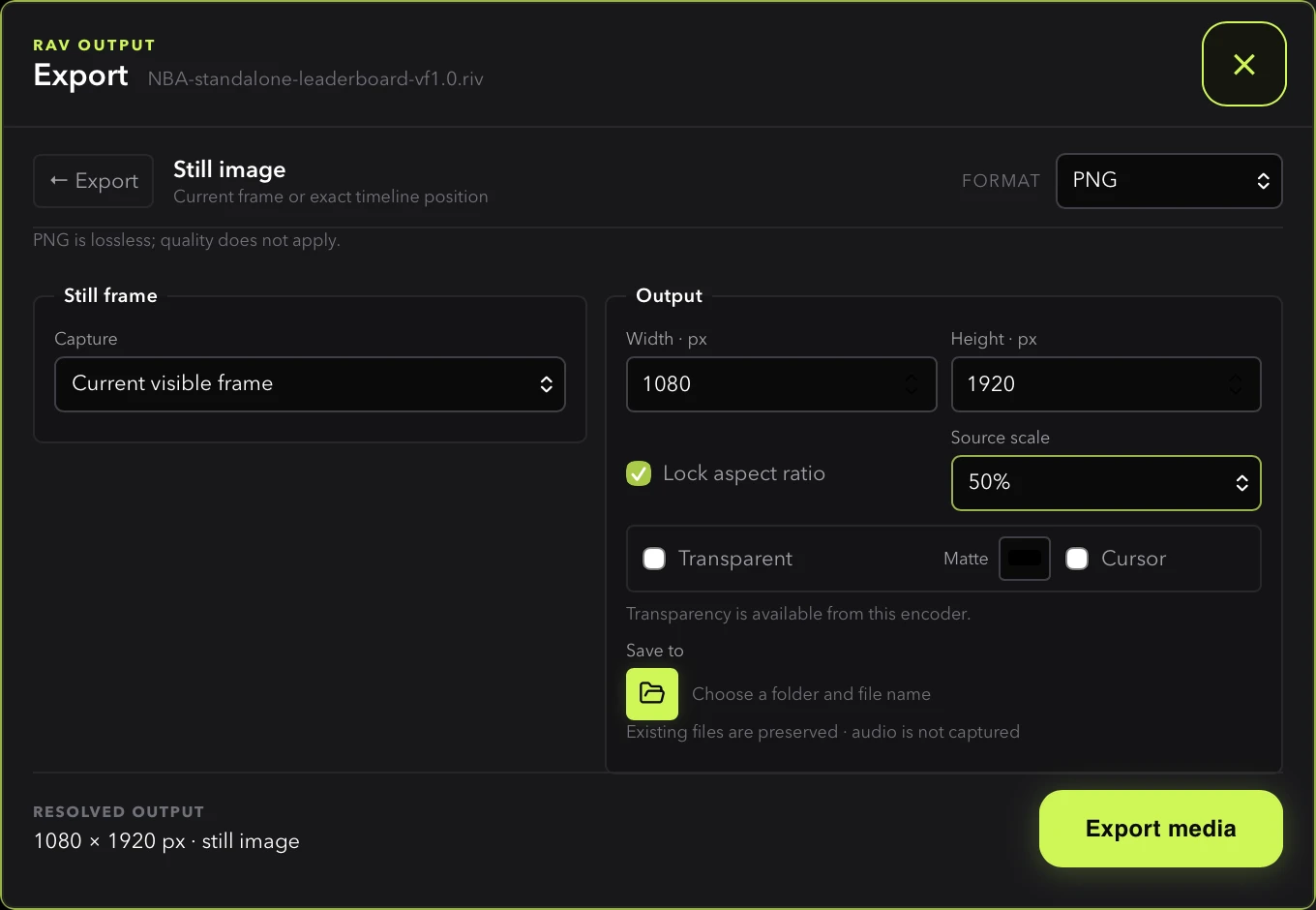
Still image
Capture the currently visible canvas in either playback mode, or select a precise timeline time or frame. PNG and WebP preserve alpha when transparency is enabled. JPG always uses the selected matte.
Formats
| Output | Formats | Transparency |
|---|---|---|
| Video | H.264 / MP4, H.265 / MP4, VP9 / WebM, ProRes 4444 / MOV | H.264 and H.265 are opaque; WebM alpha requires a successful decoded-alpha capability probe; ProRes 4444 can be exported with or without alpha |
| Animated image | APNG, GIF | APNG preserves full alpha; GIF uses binary transparency |
| Image sequence | PNG sequence, JPG sequence | One file per frame into a directory you choose; PNG preserves alpha, JPG is opaque |
| Still image | PNG, JPG, WebP | PNG and WebP support alpha; JPG is opaque |
Formats appear only when the desktop encoder capability check succeeds. RAV verifies the encoder tools and runs small encode/decode probes rather than assuming that an executable on disk supports every advertised codec.
ProRes 4444 is available for both timeline export and interaction recording and is the recommended way to hand alpha footage to DCC tools. PNG sequence and JPG sequence write one file per frame into a directory instead of a single output file.
Open Settings → About to see the active Rive Web runtime and the exact FFmpeg, ffprobe, and optional gifski versions reported by that capability service. Desktop packages use pinned, hash-verified Jellyfin FFmpeg/ffprobe resources with their required license notices and corresponding source; production does not fall back to arbitrary tools on PATH. Missing optional tools remain labeled unavailable.
Output settings
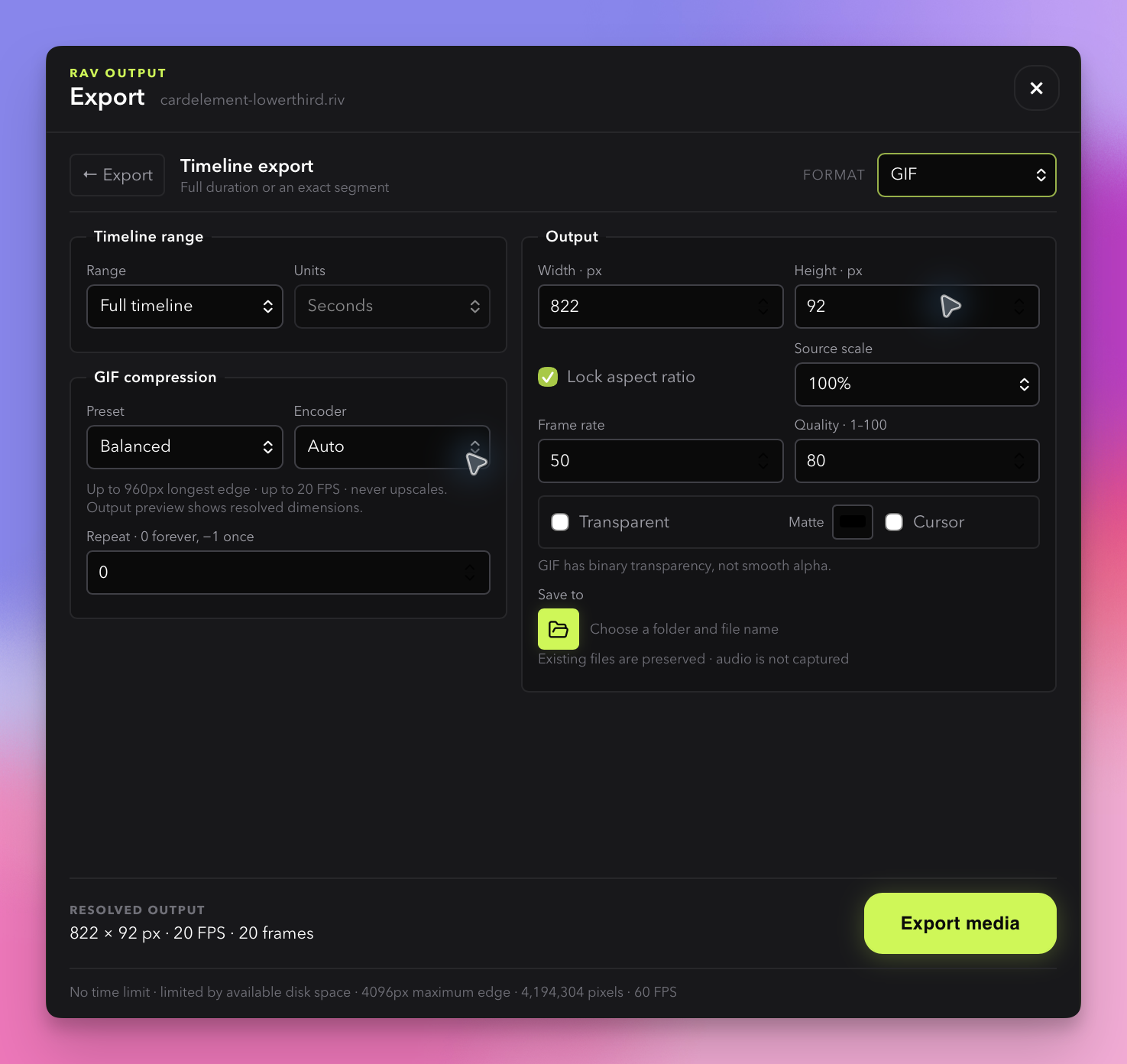
- Width and height default to the artboard. Lock aspect ratio, or set both dimensions for an exact frame size.
- Source scale offers 100%, 75%, 50%, and 25% shortcuts. Video dimensions must be even.
- Frame rate supports 1–60 FPS; GIF is capped at 50 FPS and presets may lower it.
- Quality is 1–100 for lossy encoders. PNG, PNG sequences, and APNG are lossless, so the control is hidden for them.
- Transparent is available for every format with an alpha channel (ProRes 4444, WebM, APNG, GIF, PNG sequence, PNG, WebP). H.264, H.265, JPG, and JPG sequences are opaque and reject alpha requests; use the matte color behind the animation.
- Save to uses the yellow folder button to choose both a folder and filename. Changing format clears an incompatible chosen path. For PNG sequence and JPG sequence output, the picker chooses a directory instead of a filename; MCP callers supply that directory as
output_path.
A non-empty sequence folder opens a confirmation with Overwrite, Choose folder…, and Cancel. Overwrite applies only to the current export or recording and replaces numbered sequence frames, keeping unrelated files. Choosing another folder returns to the settings before capture starts; cancelling either the confirmation or the picker preserves the settings. A folder filled after the preflight check returns to the same confirmation at capture start. Unattended MCP callers still receive an error unless they explicitly pass overwrite: true.
GIF size controls
| Preset | Behavior |
|---|---|
| Source | Keeps requested dimensions and rate within format limits |
| Balanced | Caps the longest edge at 960 px and frame rate at 20 FPS |
| Small | Caps the longest edge at 480 px and frame rate at 12 FPS |
| Custom | Uses the dimensions, FPS, quality, repeat, and encoder controls you set |
| Target size | Runs up to five attempts against a MiB target and reports whether the target was met |
Target size can adjust quality only, or quality plus frame rate and dimensions. RAV keeps the animation duration intact. An unmet target is reported with the smallest completed result instead of being presented as a guarantee.
Progress, results, and recovery
Capture, finalization, encoding, verification, and saving appear in the bottom status bar with a RAV-yellow progress indicator. The usual playback status returns when the job ends. Open EXPORT again to inspect the latest result; RAV does not add a duplicate result button to the toolbar.
Job status is push-based: the native encoder emits progress during encoding, verification, and publishing, so the Export overlay no longer polls for updates. Completed job cards can be dismissed individually, and the overlay resizes to fit its content instead of keeping a fixed footprint.
RAV fully decodes a completed artifact before publishing it. Low disk space can stop a nonempty recording and finish the accepted portion. A renderer, transport, or write error retains acknowledged capture data for recovery instead of publishing an unverified file. Explicit cancellation removes that job's temporary capture.
Known limits
- Alpha WebM at very large sizes (around 2560×1440) can exceed the native encoder's memory ceiling and fail after capture; use ProRes 4444 or a PNG sequence instead.
- APNG encoding of long, large captures is slow and produces very large files.
Agent and MCP access
The same media service is available through eight MCP tools: capability discovery, timeline/still export, recording start and stop, job status and cancellation, explicit frame stepping, and normalized pointer input. Recording requests can also schedule typed ViewModel values, triggers, images, and pointer events on the recording clock. See the MCP reference for the tool list and the repository's detailed media contract for complete request fields.
Timeline scrubber behavior
The timeline row appears only for linear-animation preview. Toggle frames or seconds, drag the large current-time indicator to seek, and read boundaries from the authored duration. The indicator updates on every rendered frame during playback. State machines hide the row because they do not have a fixed authored duration.