
ViewModel Controls
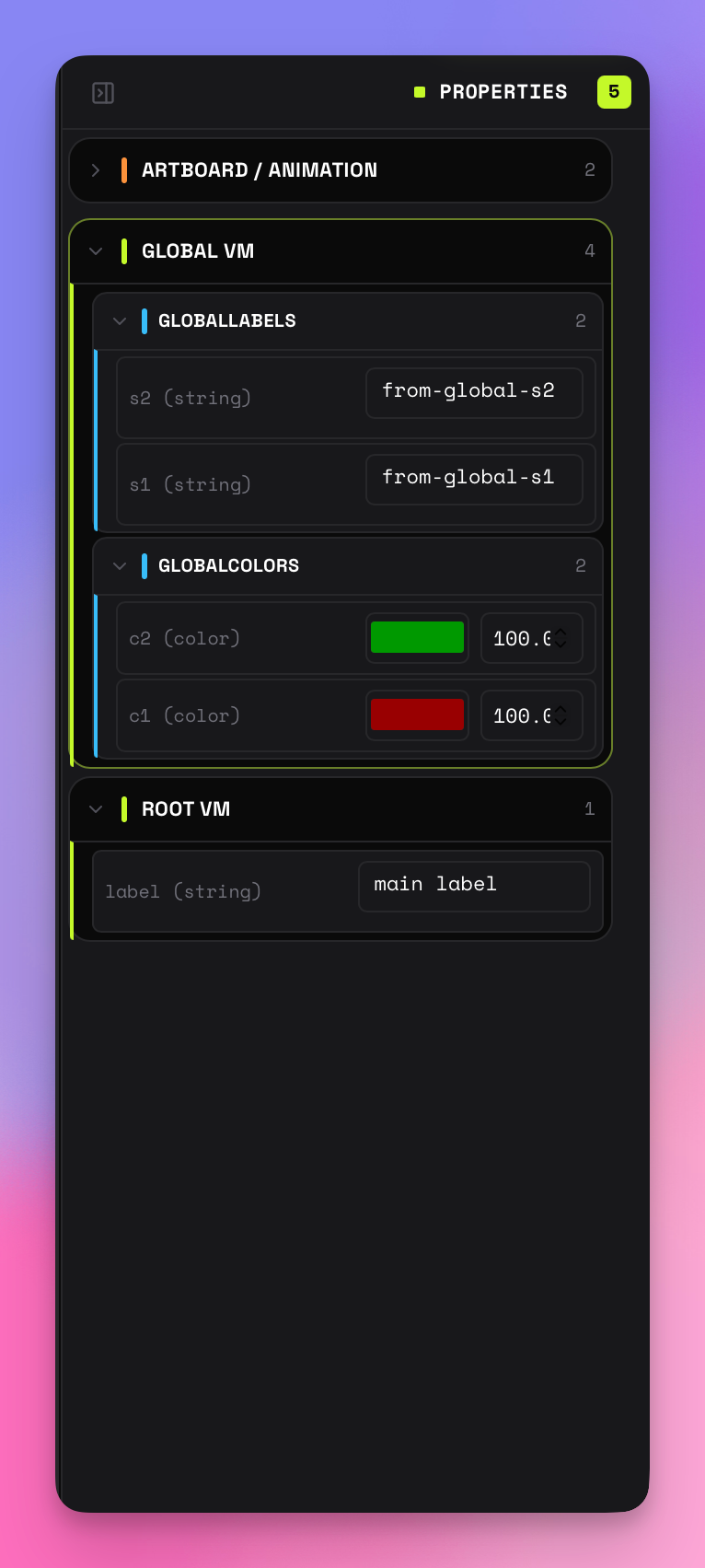
RAV discovers ViewModel controls from a parse-once inspection of the loaded animation file — the ViewModel schema and embedded assets are read once from the file itself rather than probed from the live runtime — and renders them as native controls in the right panel. State machines remain selectable playback targets; state-machine inputs are not shown as controls.
Supported Input Types
| Type | Control | Behavior |
|---|---|---|
| Boolean | Checkbox | Immediately updates the runtime value |
| Number | Wide numeric input | Keeps digits visible beside native spinner controls; accepts decimal values, updates while editing, and displays without trailing zeros (2.50 → 2.5, 2.00 → 2) |
| String | Text input | Updates on blur or Enter |
| Trigger | Button | Fires the trigger once per click |
| Enum | Dropdown | Lists all enum values, selects immediately |
| Color | Compact square swatch + alpha | Native color input with an adjacent alpha control |
| Image | One full-width source select | Lists every embedded raster asset, then Open file… and Clear; the file input stays hidden and there are no separate action buttons |
Nested ViewModels
When a ViewModel contains nested properties, RAV renders them as collapsible sections with depth-colored accent bars. The root starts expanded; nested sections start collapsed.
Dynamic Lists
ViewModel lists show every item that currently exists — there is no ten-row cap. RAV first uses a direct authored instance name when the runtime exposes one. If the Web wrapper exposes only the definition's viewModelName, RAV compares readable string properties with that definition's canonical instance-name set and accepts only one unique match. Ambiguous or missing matches fall back to Row 1,Row 2, and so on; the generic definition name is never presented as an authored row label. When animation logic changes the controlling count, the Properties panel rebuilds from the live list topology automatically.
Live validation confirmed that authored per-instance labels remain distinct and preserve runtime order across a dynamically populated multi-row list.
MCP paths use the runtime's zero-based index even though labels are one-based. For example, rows/0/playerName addresses Row 1. Call rav_get_vm_tree after the list resizes to discover its current bounds.
Live Sync
Controls continuously sync with the runtime. If a value changes from animation logic, the UI updates automatically. Active focused inputs are skipped during sync to avoid disrupting edits.
Value Persistence
When you reset or restart an animation, RAV captures all ViewModel and state machine values and restores them after reload. If list items materialize a few frames later, pending values are retried until their live paths exist. Triggers are excluded since they are one-shot actions. Embedded image selections restore by the catalog's asset key rather than replaying raw image bytes.
ViewModel Labels
Section headers display the exact name from the Rive file, preserving original casing, dashes, and special characters.
Embedded Images
RAV captures raster bytes embedded in the loaded .riv while leaving the runtime's normal asset loading intact. Each image property gets one full-width select: every captured raster appears first, followed by Open file… andClear. Open file… invokes a hidden external file input. There is no separate folder button, separate clear button, or Embedded image…placeholder.
Catalog entries use the runtime asset's uniqueFilename identity, determine PNG, WebP, JPEG, or AVIF MIME from the bytes rather than trusting an extension, and add numbered labels when display names repeat. Live validation confirmed that every embedded raster is included while embedded fonts, scripts, and other non-raster resources remain outside the image catalog. Standalone exports rebuild the same catalog and control.
Selecting an image calls the loaded runtime's decoder; Clear writesnull. Decoded image objects are live runtime values and are not included in JSON snapshots or generated control-value payloads.