Consoles
The bottom panel has two modes that share the same layout: Event Console and JavaScript Console. A compact header toggle switches between Eventsand JS.
Event Console
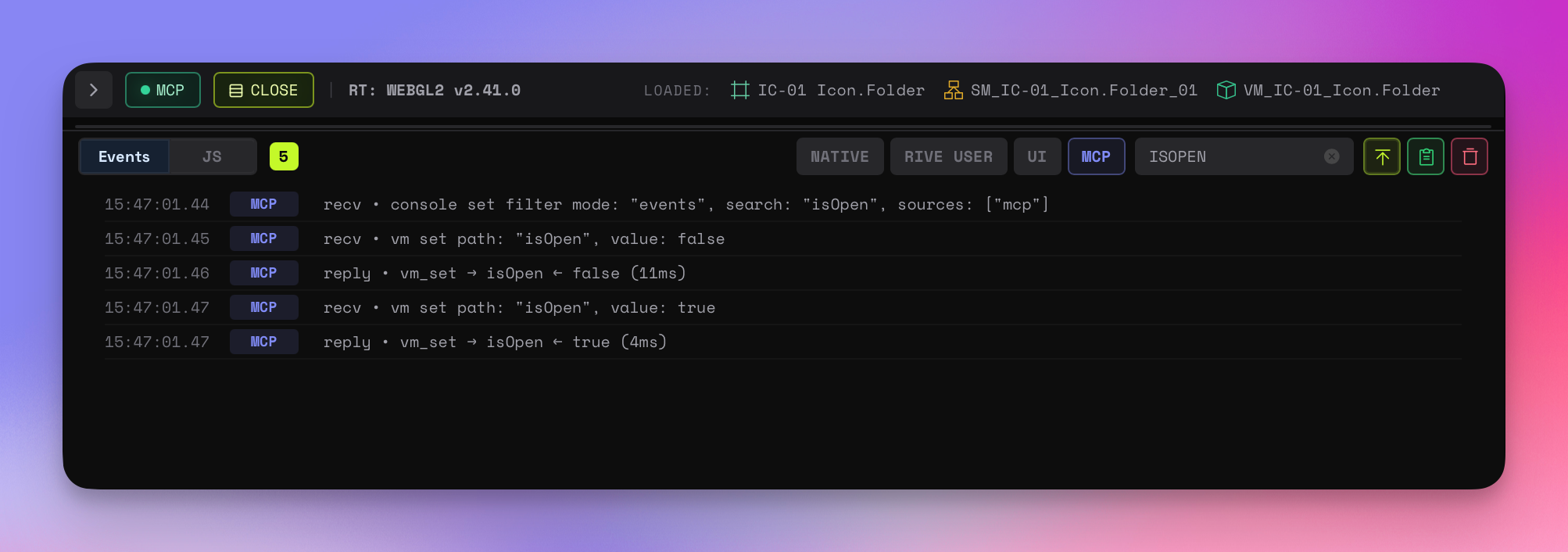
Event Sources
| Source | Badge | Description |
|---|---|---|
| Native | NATIVE | Runtime events: load, play, pause, state change |
| Rive User | RIVE USER | Custom events fired from the animation |
| UI | UI | App UI events: settings changes, panel toggles |
| MCP | MCP | MCP bridge events: commands, responses, connections |
Filtering
Each source has an independent toggle. A text search field filters across all visible events. Multiple sources can be active simultaneously.
Actions
- FOLLOW — amber toggle that keeps the newest event pinned in view
- COPY — copies the current visible transcript
- CLEAR — clears the transcript
Ordering
Events are listed newest-first. FOLLOW keeps the latest entry in view. Scrolling away turns follow off automatically.
JavaScript Console
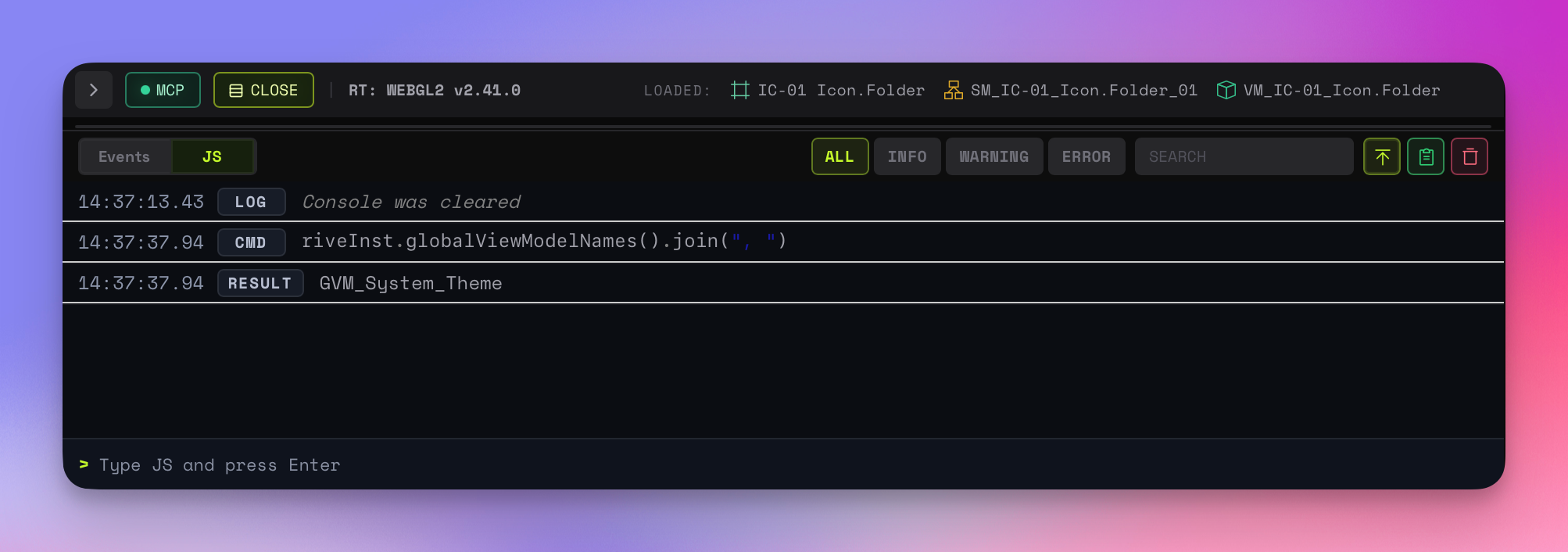
REPL
The input bar at the bottom executes JavaScript against the live runtime context. Press Enter to execute, Arrow Up/Down for command history.
Output
Commands, results, warnings, errors, and app log lines all render with the same timestamp-and-badge treatment. Eruda's lazy object inspection is preserved for complex objects like riveInst.
Level Filters
ALL, INFO, WARNING, ERROR toggle buttons filter the visible transcript. Filters apply to REPL entries and app-generated log lines equally.
Available Globals
window.riveInst    // The active Rive instance

// Available after injecting VM Explorer:
vmExplore()        // Show root VM properties
vmGet("path")      // Get a VM property value
vmSet("path", val) // Set a VM property value
vmTree             // View full VM hierarchy (property, not function)
vmPaths            // List all property paths (property, not function)