IVG DESIGN · FREEWARE TOOLKIT
35 scripts that delete the tedious parts of After Effects.
Production-ready tools for rigging, keyframes, paths, effects and audio — built over years of motion work and free under MIT. Grab the whole panel, or just the one tool you need.
01 — THE LIBRARY
Every tool, one click away
All guides
35 scripts
grouped by category
Animation & Rigging
 2-3 IK RiggerTurns a set of existing layers into a working 2- or 3-segment IK chain.
v1.0.0
PALETTE
2-3 IK RiggerTurns a set of existing layers into a working 2- or 3-segment IK chain.
v1.0.0
PALETTE
 CamBotBuild a fully-rigged 3D camera you steer from one panel — dial from free-fly to locked tracking, blend multiple targets, and play 26 procedural moves off a single slider.
v3.15.1
HEADLESS
CamBotBuild a fully-rigged 3D camera you steer from one panel — dial from free-fly to locked tracking, blend multiple targets, and play 26 procedural moves off a single slider.
v3.15.1
HEADLESS
 Limb-a-tronRig a two-segment IK/FK limb in seconds — drag one null to bend it, tune everything from one Limb Control effect, and bake it when done.
v2.7.0
DIALOG
Limb-a-tronRig a two-segment IK/FK limb in seconds — drag one null to bend it, tune everything from one Limb Control effect, and bake it when done.
v2.7.0
DIALOG
 LinearizerDrive existing keyframed animation from any slider, position, or rotation — scrubbing the driver scrubs the animation.
v1.5.8
DIALOG
LinearizerDrive existing keyframed animation from any slider, position, or rotation — scrubbing the driver scrubs the animation.
v1.5.8
DIALOG
 PathMasterAnimate a layer's Position along any shape-layer path — retime, re-ease, trim, loop or ping-pong it afterwards from a single layer marker.
v2.0.2
DIALOG
PathMasterAnimate a layer's Position along any shape-layer path — retime, re-ease, trim, loop or ping-pong it afterwards from a single layer marker.
v2.0.2
DIALOG
Composition
 GuideratorDrop exact ruler guides by typing a number — or a formula like 1920/2 — into a dockable panel, then click H or V.
v2.0.0
PANEL
GuideratorDrop exact ruler guides by typing a number — or a formula like 1920/2 — into a dockable panel, then click H or V.
v2.0.0
PANEL
 Slidotron_16x9Build a horizontal slide-reveal rig in one click — two nested 4K comps, mirrored alpha mattes, and one 0–100 "CTRL" slider plays the transition.
v2.0.1
HEADLESS
Slidotron_16x9Build a horizontal slide-reveal rig in one click — two nested 4K comps, mirrored alpha mattes, and one 0–100 "CTRL" slider plays the transition.
v2.0.1
HEADLESS
 Slidotron_9x16Build a vertical 9:16 slide-reveal rig in one click — two nested 1080×1920 comps, mirrored mattes, and one 0–100 "CTRL" slider plays the transition.
v2.0.2
HEADLESS
Slidotron_9x16Build a vertical 9:16 slide-reveal rig in one click — two nested 1080×1920 comps, mirrored mattes, and one 0–100 "CTRL" slider plays the transition.
v2.0.2
HEADLESS
 VerticalizerOne click turns a landscape clip into a rigged, resolution-agnostic split-screen portrait comp — each window framed, styled, and timed independently, with a keyframeable morph into picture-in-picture.
v1.9.4
PANEL
VerticalizerOne click turns a landscape clip into a rigged, resolution-agnostic split-screen portrait comp — each window framed, styled, and timed independently, with a keyframeable morph into picture-in-picture.
v1.9.4
PANEL
Effects & Audio
 BurstMateDrop a fully rigged radial stroke burst into your comp — every color, length, density, and dash tuned from one StrokeBurst control panel.
v2.0.2
HEADLESS
BurstMateDrop a fully rigged radial stroke burst into your comp — every color, length, density, and dash tuned from one StrokeBurst control panel.
v2.0.2
HEADLESS
 ChromaBlenderizerRamp a color range across selected fills, strokes, and effect colors — pick Start/End, then apply a linear blend or random scatter in one click.
v2.3.1
PALETTE
ChromaBlenderizerRamp a color range across selected fills, strokes, and effect colors — pick Start/End, then apply a linear blend or random scatter in one click.
v2.3.1
PALETTE
 sfxMasterMix Voice Over, Sound Effects, and Music from three master sliders — audio layers auto-categorized by marker comments and wired in one pass.
v2.0.1
HEADLESS
sfxMasterMix Voice Over, Sound Effects, and Music from three master sliders — audio layers auto-categorized by marker comments and wired in one pass.
v2.0.1
HEADLESS
 Sync-o-tronMake any property audio-reactive in one click — TuneSync builds the Easing/Min/Max controls and wires them to the bundled Audio Reactor template.
v2.1.4
DIALOG
Sync-o-tronMake any property audio-reactive in one click — TuneSync builds the Easing/Min/Max controls and wires them to the bundled Audio Reactor template.
v2.1.4
DIALOG
Keyframes
 Elast-o-maticAdd elastic overshoot or gravity bounce after any keyframe — hold Cmd/Ctrl at launch to switch variants, tune everything in Effect Controls.
v1.1.3
HEADLESS
Elast-o-maticAdd elastic overshoot or gravity bounce after any keyframe — hold Cmd/Ctrl at launch to switch variants, tune everything in Effect Controls.
v1.1.3
HEADLESS
 KeyBotBatch-edit selected keyframe values with =, +, −, ×, ÷ per axis — timing, easing, and interpolation stay untouched.
v2.0.1
PANEL
KeyBotBatch-edit selected keyframe values with =, +, −, ×, ÷ per axis — timing, easing, and interpolation stay untouched.
v2.0.1
PANEL
 KeyCloneMaticRepeat a hand-tuned keyframe set down the timeline at a fixed or decaying interval — values, easing, and spatial tangents cloned faithfully.
v2.0.1
DIALOG
KeyCloneMaticRepeat a hand-tuned keyframe set down the timeline at a fixed or decaying interval — values, easing, and spatial tangents cloned faithfully.
v2.0.1
DIALOG
 ValuatronStamp a keyframe at the playhead for every selected property at once — capturing current values, expressions included — in one undo.
v2.0.1
HEADLESS
ValuatronStamp a keyframe at the playhead for every selected property at once — capturing current values, expressions included — in one undo.
v2.0.1
HEADLESS
Layers
 ControllerizerGather any selected properties from any layers onto one Controller Null as matching expression controls, pre-set to current values.
v1.0.0
HEADLESS
ControllerizerGather any selected properties from any layers onto one Controller Null as matching expression controls, pre-set to current values.
v1.0.0
HEADLESS
 NullBotParent a group of layers to one master null at their average position — move, scale, or rotate the whole group from a single handle.
v2.0.0
HEADLESS
NullBotParent a group of layers to one master null at their average position — move, scale, or rotate the whole group from a single handle.
v2.0.0
HEADLESS
 Opac-o-botParenting for Opacity — selected layers' Opacity follows their parent via expression, the one property AE parenting ignores.
v1.0.0
HEADLESS
Opac-o-botParenting for Opacity — selected layers' Opacity follows their parent via expression, the one property AE parenting ignores.
v1.0.0
HEADLESS
 OrderMasterReverse or shuffle the stacking order of a contiguous run of selected layers, or the contiguous shape groups inside one shape layer.
v2.0.1
DIALOG
OrderMasterReverse or shuffle the stacking order of a contiguous run of selected layers, or the contiguous shape groups inside one shape layer.
v2.0.1
DIALOG
 Parent-o-botBlend a layer's Position, Scale, Rotation, and Opacity toward up to two parent layers, each with its own 0–100% influence slider.
v2.0.3
DIALOG
Parent-o-botBlend a layer's Position, Scale, Rotation, and Opacity toward up to two parent layers, each with its own 0–100% influence slider.
v2.0.3
DIALOG
 RectangulatorConvert a parametric rectangle into a bezier shape with independent per-corner rounding and a 9-point anchor grid, driven by one effect.
v2.1.7
HEADLESS
RectangulatorConvert a parametric rectangle into a bezier shape with independent per-corner rounding and a 9-point anchor grid, driven by one effect.
v2.1.7
HEADLESS
 ReseteratorZero the transform origin of selected layers — layer anchor to [0,0,0], every nested shape-group anchor and position to [0,0].
v1.0.0
HEADLESS
ReseteratorZero the transform origin of selected layers — layer anchor to [0,0,0], every nested shape-group anchor and position to [0,0].
v1.0.0
HEADLESS
 SubtitleForgeBuild a full caption rig in one run — text plus a self-sizing box with stroke and drop shadow, all driven from one Subtitle Setup effect.
v2.0.2
HEADLESS
SubtitleForgeBuild a full caption rig in one run — text plus a self-sizing box with stroke and drop shadow, all driven from one Subtitle Setup effect.
v2.0.2
HEADLESS
 TextMateType a word and highlight every case-sensitive occurrence of it in a text layer, each with its own Range Selector on a new animator.
v2.0.0
DIALOG
TextMateType a word and highlight every case-sensitive occurrence of it in a text layer, each with its own Range Selector on a new animator.
v2.0.0
DIALOG
 TimeWarp-a-tronDrive a layer's Time Remap from a 0–100 slider that scrubs a user-defined in/out frame range, framerate-correct and keyframe-free.
v2.0.1
DIALOG
TimeWarp-a-tronDrive a layer's Time Remap from a 0–100 slider that scrubs a user-defined in/out frame range, framerate-correct and keyframe-free.
v2.0.1
DIALOG
Paths & Shapes
 CentralizerDrop center and bounding-box guides around anything — one shape, a multiselected group of shapes, text, footage or a precomp.
v2.1.0
DIALOG
CentralizerDrop center and bounding-box guides around anything — one shape, a multiselected group of shapes, text, footage or a precomp.
v2.1.0
DIALOG
 DistributronSpread a comp's layers evenly along a shape path, each auto-rotating to follow the curve, all steered live from one CTRL null.
v1.1.3
HEADLESS
DistributronSpread a comp's layers evenly along a shape path, each auto-rotating to follow the curve, all steered live from one CTRL null.
v1.1.3
HEADLESS
 OriginatorRecenter a shape layer's bezier path origin on (0,0) so it scales and rotates predictably — instantly for one path, via a picker for several.
v2.0.0
DIALOG
OriginatorRecenter a shape layer's bezier path origin on (0,0) so it scales and rotates predictably — instantly for one path, via a picker for several.
v2.0.0
DIALOG
 Trace-o-maticConvert a layer's masks into a new shape layer with hold-keyframed paths and opacity, all styled at once by five master fill/stroke controls.
v2.0.1
HEADLESS
Trace-o-maticConvert a layer's masks into a new shape layer with hold-keyframed paths and opacity, all styled at once by five master fill/stroke controls.
v2.0.1
HEADLESS
 VertexMasterTurn a bezier path's vertices and tangents into null-object handles you can keyframe and parent, or flip to Follow mode to track an animated path.
v2.0.2
DIALOG
VertexMasterTurn a bezier path's vertices and tangents into null-object handles you can keyframe and parent, or flip to Follow mode to track an animated path.
v2.0.2
DIALOG
Utilities
 IteratronSpread a property evenly across a layer stack — link a start value and an end value, and every layer in between gets its interpolated step.
v2.0.1
DIALOG
IteratronSpread a property evenly across a layer stack — link a start value and an end value, and every layer in between gets its interpolated step.
v2.0.1
DIALOG
 RandoMaticReplace every selected keyframe's value with a fresh uniform-random number inside a per-axis range you type in — timing and easing untouched.
v2.0.0
DIALOG
RandoMaticReplace every selected keyframe's value with a fresh uniform-random number inside a per-axis range you type in — timing and easing untouched.
v2.0.0
DIALOG
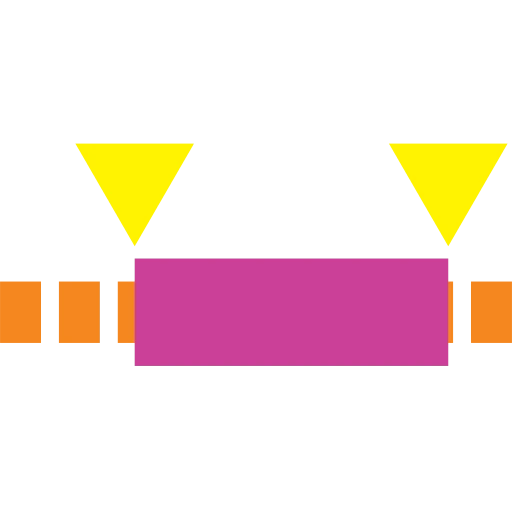 TriminatorAdd a Trim Paths effect — pre-keyframed 0→100% for an instant reveal — to a shape layer's contents or to the specific shape groups you select.
v2.0.0
HEADLESS
TriminatorAdd a Trim Paths effect — pre-keyframed 0→100% for an instant reveal — to a shape layer's contents or to the specific shape groups you select.
v2.0.0
HEADLESS
35 scripts · 7 categories · all MIT
↩ open docs ⌘D download
02 — THE COMMAND BAR
Pick scripts → get a dockable AE panel bundle
Build-a-bar

Check the tools you want — get a ready-to-dock bundle.
The zip contains the dockable Build-a-Bar panel plus your scripts in an
ivg-scripts subfolder. Drop both into ScriptUI Panels: only the command bar appears in AE's Window menu, and its buttons reflow when docked vertical, horizontal, or as a grid. Prefer a real plugin? Grab the native macOS / Windows build below.
0 of 35 selected
Prefer the menus? Any .jsx from the bundle also works dropped straight into the Scripts folder.
03 — GET STARTED
Install in three steps
01
Download
Grab the .jsx for the tool you need — or the full .zip of all 35.
02
Drop it in
Move it to your After Effects ▸ Scripts folder, or use File ▸ Scripts ▸ Run Script File.
03
Run it
Launch from the Scripts menu (or ScriptUI Panels for dockable tools). Done.
Get the whole toolkit.
35 free, open-source After Effects scripts, free under MIT. One download, no sign-up.